Connecting two iOS simulators over BLE
Last month I wrote about BLESwift, an async/await-first BLE library for Swift 6.2 (Bluetooth without the delegate dance). That post ended with heart-rate notifications streaming into a for await loop. This one is about where that code goes to die: the iOS Simulator.
CoreBluetooth does not work in the Simulator. CBCentralManager comes up as .unsupported and never leaves. Not degraded, not stubbed. Unsupported. Hit Run on a simulator and any BLE app stops at its waiting-for-Bluetooth screen, and the fix has always been the same: go find a device and a cable.
BLESwift 2.0 ships another way out. This post walks two iOS simulators through discovering each other, connecting, and streaming heart-rate data back and forth, with screenshots along the way. There is no Bluetooth hardware anywhere in it.
How the simulator link works
Nothing inside BLESwift's core knows it's in a simulator. Central() and PeripheralHost() resolve their backend once, at construction, through a process-wide registry. Normally nothing is registered there and they build CoreBluetooth like they always did. The BLESwiftSimulatorLink module registers backends that forward every call over localhost TCP instead:
import BLESwiftSimulatorLink

#if targetEnvironment(simulator)
SimulatorLink.install()   // before your first Central() / PeripheralHost()
#endif
That's the whole adoption. Your scanning and GATT code stays untouched, and the #if guard keeps device builds on CoreBluetooth.
The other end of that TCP connection is bleswift-provider, a command-line tool running on your Mac:
swift run bleswift-provider
The provider hosts a virtual radio: an in-process BLE world that serves scans, connections, reads, writes, and notifications to every simulator that dials in. You can stock it with virtual devices defined in JSON fixtures or in code, which is useful on its own when you want to drive your UI against a scripted peripheral.
The detail this post hangs on is what happens to the peripheral role. When an app in the Simulator creates a PeripheralHost and starts advertising, that peripheral is hosted on the provider's virtual radio too, right next to the fixture devices. So a second simulator scanning through the same provider sees it.
The peripheral side
Both halves of the demo come from BLESwiftExplorer, the example app in the BLESwift repo, so you can run everything here yourself.
The advertising simulator pretends to be a heart-rate monitor: the standard Heart Rate service (180D), the measurement characteristic (2A37), and a writable control point (2A39) so we have somewhere to send data back later. With BLESwift's peripheral role, the GATT database is a value you declare:
let service = GATTService(
    identifier: HeartRateMeasurement.service,
    characteristics: [
        GATTCharacteristic(
            identifier: HeartRateMeasurement.characteristic,
            properties: [.read, .notify],
            permissions: [.readable]
        ),
        GATTCharacteristic(
            identifier: controlPoint,
            properties: [.write],
            permissions: [.writeable]
        )
    ]
)
Publishing it and starting to advertise is a PeripheralHost, a state check, and two calls:
let host = PeripheralHost()

// Wait for the radio (real or virtual) to power on.
for await state in await host.stateEvents() where state == .poweredOn { break }

try await host.add(service)
try await host.startAdvertising(
    PeripheralAdvertisement(
        localName: "BLESwift Explorer Sim",
        serviceUUIDs: [HeartRateMeasurement.service]
    )
)
Reads and writes arrive as AsyncSequences of requests that you answer:
Task {
    for await request in await host.readRequests() {
        await host.respond(to: request, with: .success(measurementValue))
    }
}

Task {
    for await request in await host.writeRequests() {
        for entry in request.entries {
            let hex = entry.value.map { String(format: "%02X", $0) }.joined()
            log("Write \(entry.characteristic.uuidString): \(hex)")
        }
        await host.respond(to: request, with: .success(()))
    }
}
A one-second timer pushes a new measurement to every subscriber. The "heart rate" is a triangle wave, 60 up to 100 and back down, which no cardiologist would sign off on but reads nicely in a list:
while !Task.isCancelled {
    try await Task.sleep(for: .seconds(1))
    advanceBPM()
    try await host.updateValue(measurementValue, for: HeartRateMeasurement.characteristic)
}
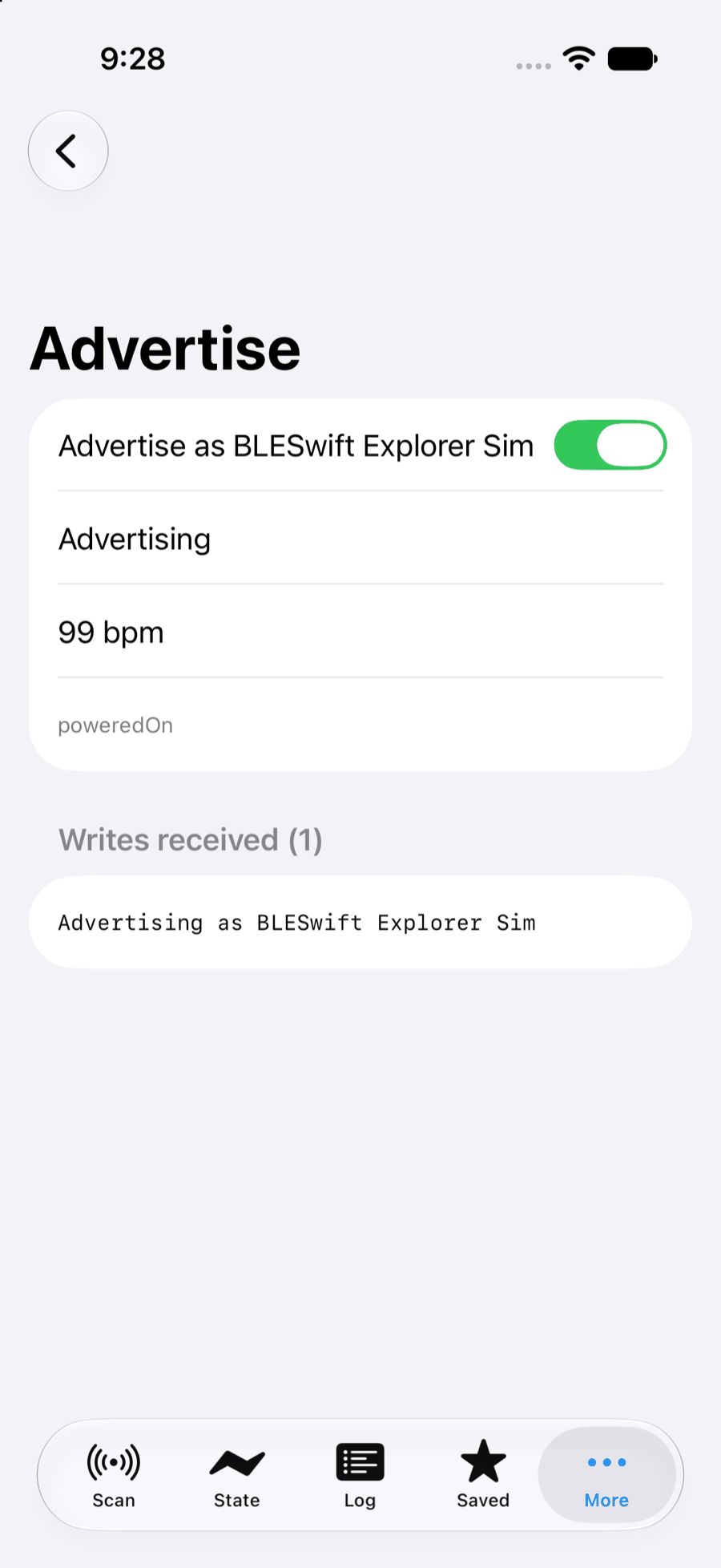
Run the app on a simulator, flip the advertise toggle, and here's what you get. The poweredOn at the bottom of the first section is the provider's virtual radio talking, not CoreBluetooth:
The central side
The second simulator runs the exact same app (this is the Explorer's Scan tab), but this one stays a central. Scanning for the Heart Rate service is a for await loop:
for try await event in await central.scan(services: [HeartRateMeasurement.service]) {
    if case .discovered(let discovery) = event {
        upsert(discovery)
    }
}
Start the scan on the second simulator and the first one shows up inside a second, local name, advertised service, and a simulated RSSI included:
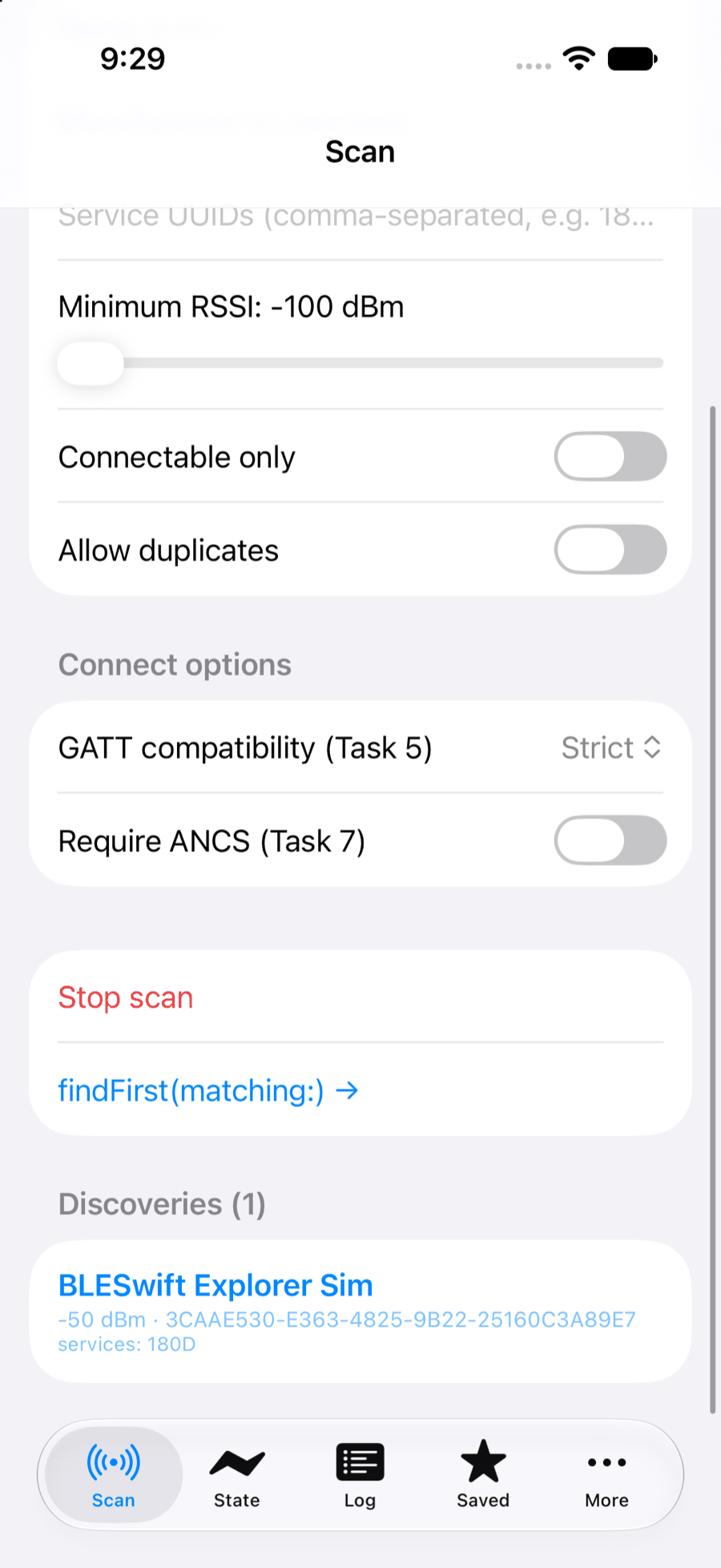
One iOS simulator just found another iOS simulator by scanning for it. The repo has an end-to-end test asserting exactly this on every push, and it still looks slightly wrong to me every time it passes.
Tapping the row connects and walks the GATT database the other simulator published, using the same discoverServices() / discoverCharacteristics(for:) calls you'd point at real hardware:
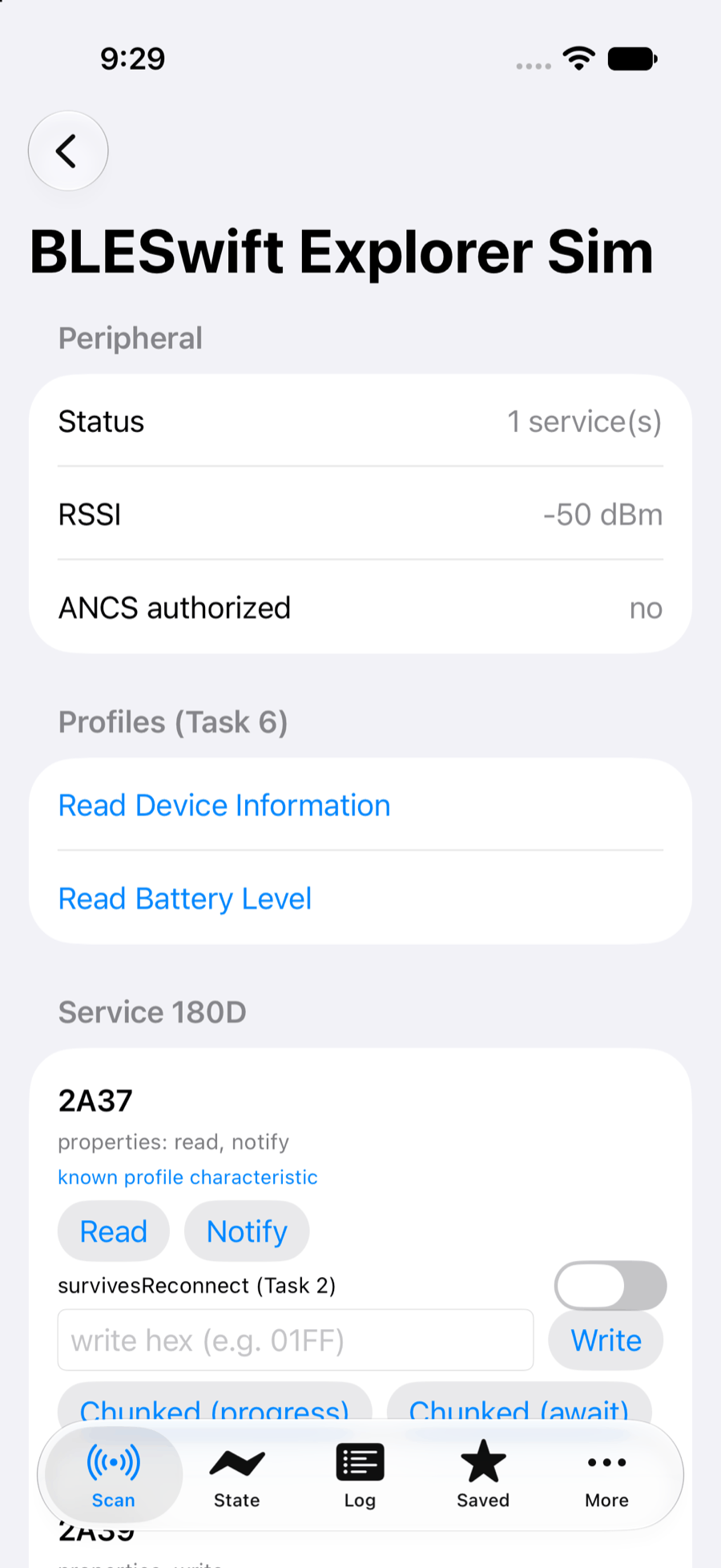
Subscribe to the measurement characteristic and the fake heart rate streams across, one notification per second, decoded by the HeartRateMeasurement profile type from BLESwiftProfiles:
let peripheral = try await central.connect(identifier)

let readings: AsyncThrowingStream<HeartRateMeasurement, Error> =
    peripheral.notifications(for: HeartRateMeasurement.characteristic)

for try await reading in readings {
    print("\(reading.beatsPerMinute) bpm")
}
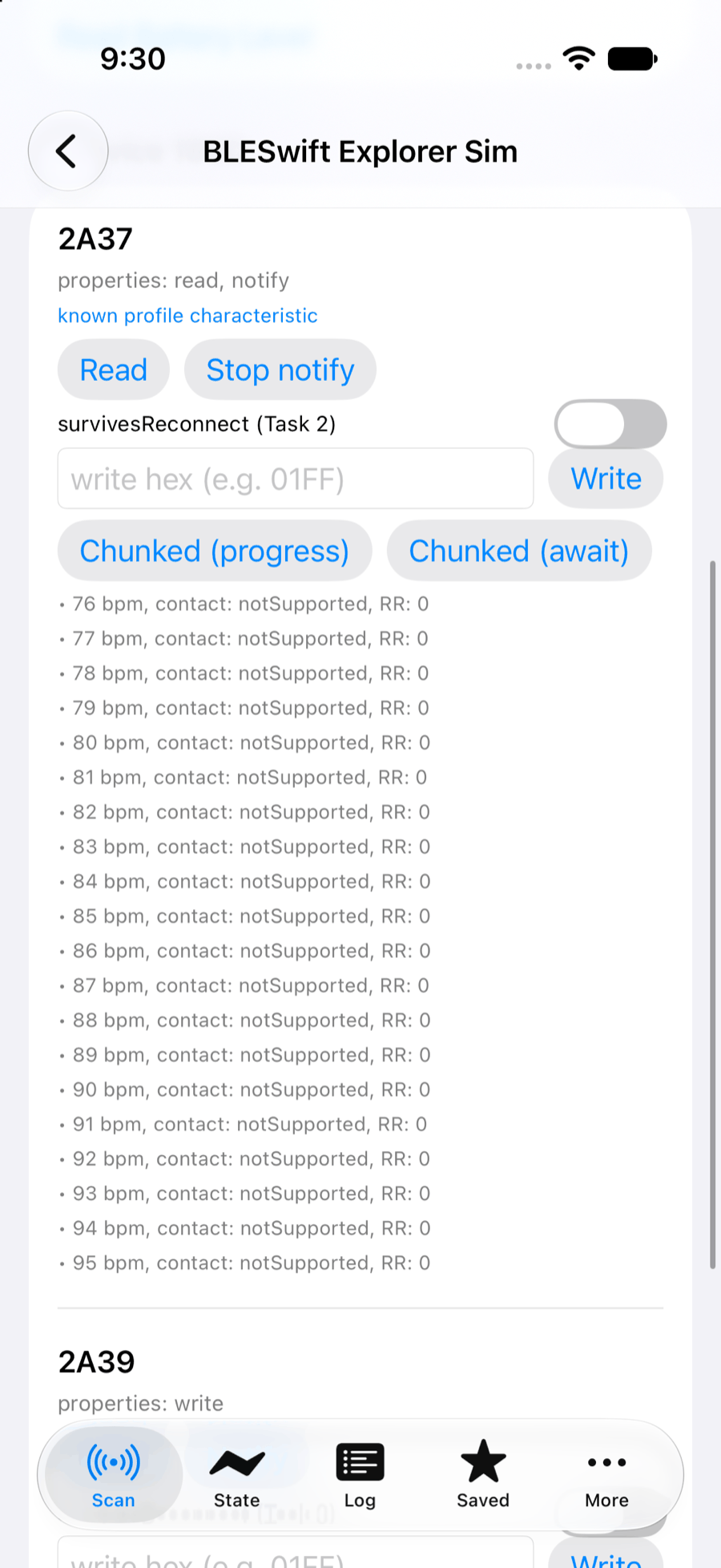
Each of those values left one simulator's PeripheralHost, crossed through the provider on the Mac, and landed in the other simulator's notification stream.
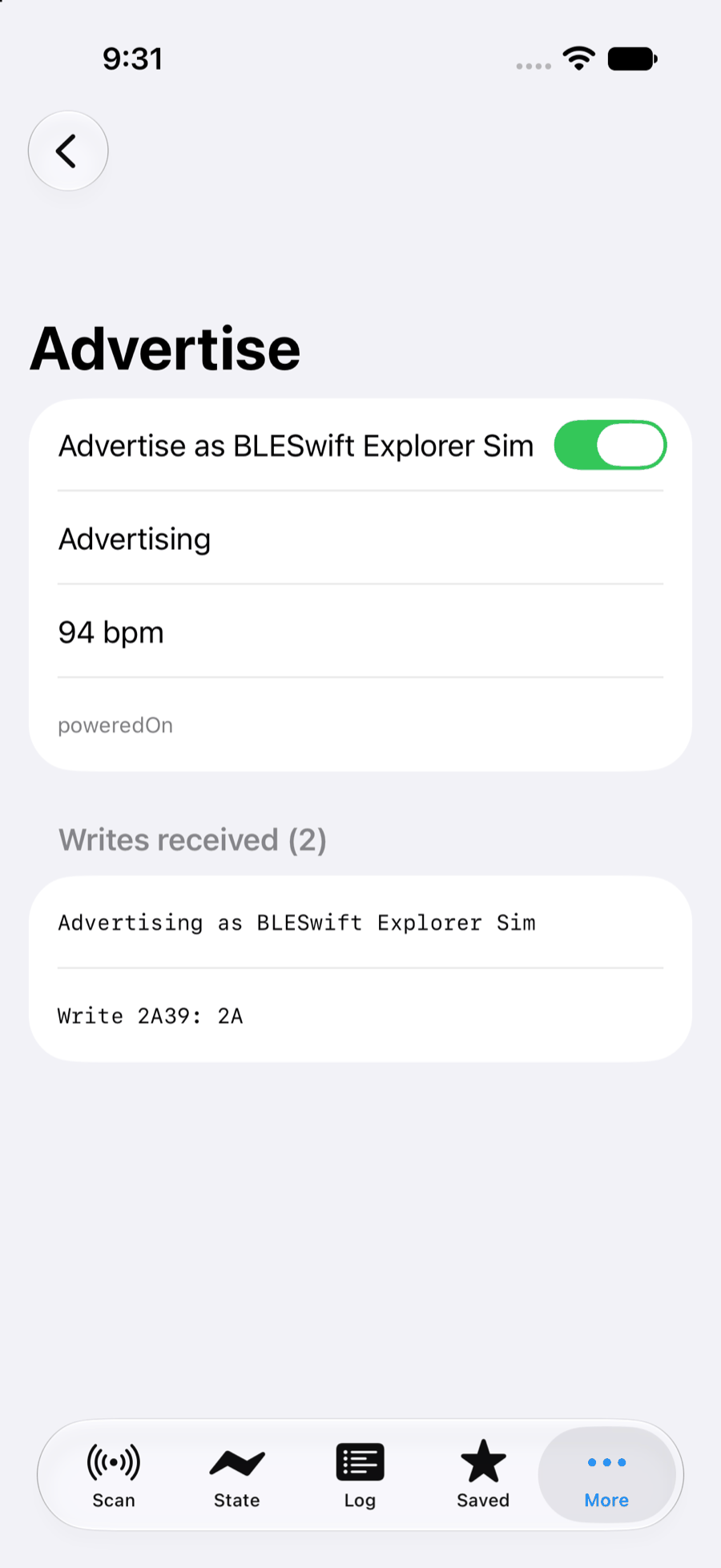
Writes go the other way. I typed 2A into the scanner's write field because it was the hex closest at hand, and the advertiser's write-request stream logged it:
Running it yourself
From a checkout of the BLESwift repo:
# Terminal: start the provider (leave it running)
swift run bleswift-provider
Then open Examples/BLESwiftExplorer in Xcode and run it on two different simulators. Both apps look for the provider at 127.0.0.1:45541 by default; the BLESWIFT_LINK environment variable overrides that on both ends. Advertise on one, scan on the other.
A warning before you get creative with --listen: the link is unauthenticated. It's meant for loopback, and the provider binds 127.0.0.1 unless you tell it otherwise. Don't tell it otherwise.
Not just simulators
Everything above ran on the virtual radio, which needs no hardware and no permissions. The provider has one more mode:
swift run bleswift-provider --passthrough
--passthrough also serves the Mac's real Bluetooth radio over the same link, so a simulator build can talk to actual BLE devices in range of your Mac. Same two lines of adoption code, no cable. It does need a Bluetooth-entitled, signed build of the provider, because macOS gates CoreBluetooth behind the app-sandbox entitlement and TCC approval; a bare swift run binary may be denied the radio. The Running in the iOS Simulator article covers that, along with fixtures and code-defined virtual devices.
This is miles ahead easier to test in my experience without a real device.